

 IPTV installation on Dreambox, Vu+ and similar devices (Enigma2)
  How to install an IPTV Subscription on Roku
  Smart IPTV errors: “Server (URL) connection timeout”, “Check playlist URL”...
  HOW TO PUT YOUR IPTV SUBSCRIPTION ON THE DUPLEX PLAY APP
  How to find/show/unhide/reveal Developer Options on an Amazon Fire TV Stick
  TUTORIALS
  FAQ
FAQ 


How to install an IPTV Subscription on Roku
Categories : TUTORIALS
How to Setup a Roku IPTV in 4 Easy Steps
Search for M3U playlist player
- Access the broadcast channels
- Go to search channels
- And search for M3U playlist player
- And select the M3u Playlist player
Click on Go to channels

Select New Playlist

Add your IPTV m3u file to Roku.
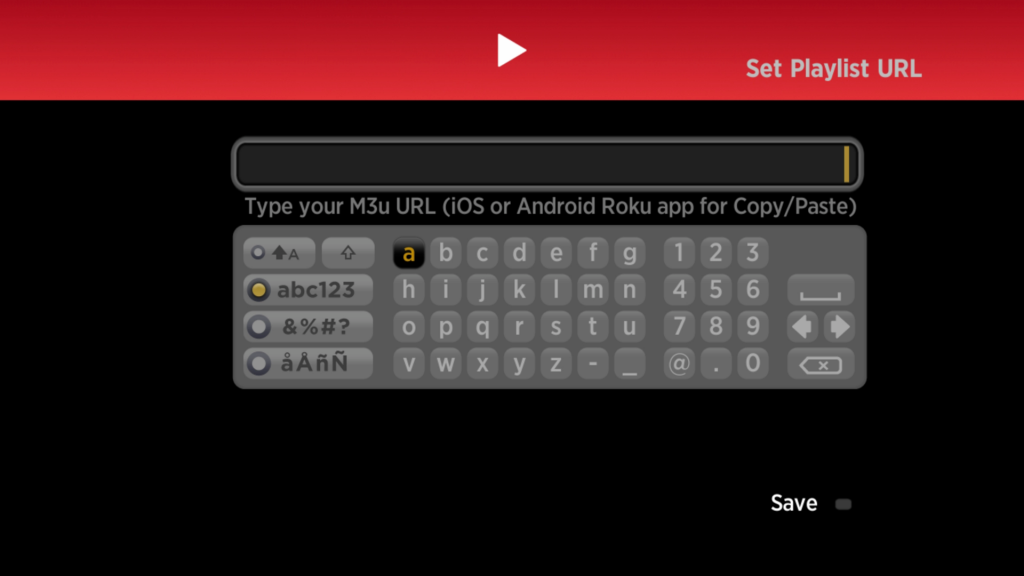
Wait for the channels to load and since there are so many different channels and categories, it may take a few minutes before your playlist is fully loaded. Just be patient and wait.
When loading, you can restart your application.
Select the playlist you added.
And there you have it, your Roku is now connected to our servers.
